

Light node: overview & quickstart
Celestia light nodes perform data availability sampling (DAS) to verify that block data is available without downloading it all. They can also post and retrieve blobs (data) from the Celestia network.
Overview
Light nodes are the most common way to interact with Celestia networks.
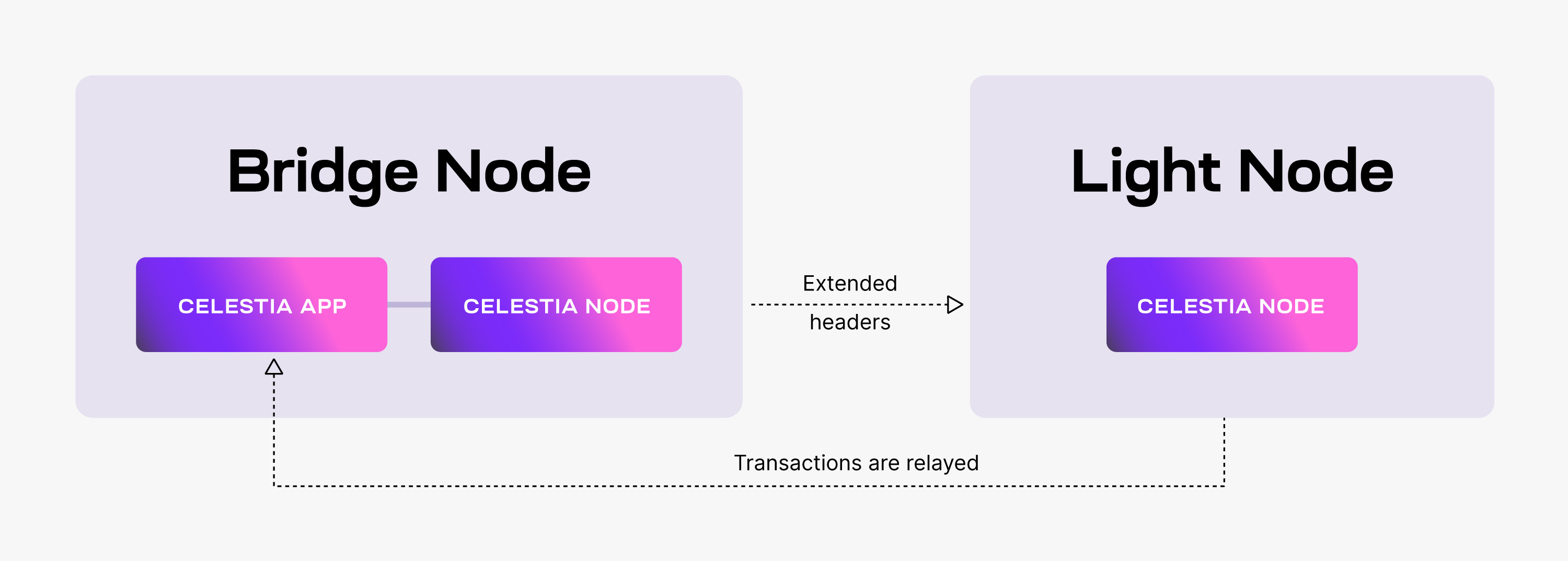
Light nodes:
- Listen for
ExtendedHeaders(block headers + DA metadata). - Perform DAS on received headers.
Optional: run a light node in your browser
You can run Lumina in your browser on the decentralized explorer, Celenium.
Run a light node (CLI)
This guide assumes you've completed:
Install celestia-node
Follow the Install celestia-node guide (from source or using the pre-built binary installer).
Initialize the node store
This creates the node store and a key for the network you choose.
celestia light initStart the light node
Light nodes connect to a consensus node gRPC endpoint (usually port 9090)
for state access (balances, submitting PayForBlobs, etc.).
celestia light start \
  --core.ip public-endpoint.celestia-mainnet.quiknode.pro \
--core.port 9090 --core.tls --p2p.network celestiaIf you're running on a server, make sure required ports are open. See Troubleshooting ports.
Get some testnet tokens (for blob posting)
To submit blobs on testnets, fund your light node address:
celestia state account-addressThen use a faucet:
On Mainnet Beta, fund this address with TIA to submit blobs.
Check your balance (optional)
celestia state balancePost your first blob
Use celestia blob submit <namespace> <data> to post your first blob.
The example below uses a hex-encoded namespace and 0x-prefixed hex data
to submit the text gm:
celestia blob submit 0x676d 0x676dKeep the 0x prefix when passing hex-encoded data. This explicit-hex form
works both before and after the blob submission fix in celestia-node #5262.
On builds containing that fix, unprefixed data is submitted as literal text:
hello submits hello, and cafe submits the four characters cafe.
Save the returned height and the first value in commitments. Commitments
are still returned as 0x-prefixed hex strings.
Retrieve your first blob
Replace <height> and <commitment> with the values from blob submit:
celestia blob get <height> 0x676d <commitment>The returned data field should be "gm".
If you see header: syncing in progress, wait for the node to sync or use
fast sync.
Next steps
- More operations and configuration: Advanced
- Submitting blobs from an app: Submit data